Brainbaby · Image Studio
Uncensored AI, Unfiltered AI & Limitless AI
Uncensored AI to chat, write and make images, without the refusals other assistants give over a single word. Your first image is free once you confirm your email; after that, images and video use credits. The law and our content rules still apply.
Sign up and your first image is free. Once your email is confirmed, generate one image or edit one of your own photos. After that, images use credits from a pack or plan; a free account also includes limited chat.
Is there a free uncensored AI generator?
Yes, to start. Brainbaby is an uncensored, unfiltered AI image generator and photo editor. After you confirm your email, your first image is free: one generation or one edit. After that, Brainbaby Go is $4/month, and one-time packs start at $5 for 5 credits.
How to make your free image
- Create a Brainbaby account and confirm your email; the free image is then added to your account.
- Open Image Studio and choose Create an image, or upload a photo you own in the uncensored AI photo editor.
- Describe fictional characters, the setting, the style and what to leave out. The uncensored text to image page has a prompt template.
- Check the cost shown before you submit, then review the result at full size and download it.
| What you get | Free account | With credits or a plan |
|---|---|---|
| Images | One image after email confirmation: a generation or an edit | Packs from $5 for 5 credits, one-time; Brainbaby Go at $4/month includes 3 image credits a month |
| Video | No free video credits | Video packs from $5 for 2 credits; included on Pro+ and Max |
| Chat | Free allowance that resets every 7 days | A larger allowance on every paid plan |
- Price
- Image packs from $5 for 5 credits, one-time; plans from $4/month
- Free
- First image free after you confirm your email; free chat uses a recurring weekly token allowance that resets in full every seven days
- Allowed
- Lawful fiction and art, within our Terms of Service
- Platforms
- Web, iOS, Android and a Mac desktop preview
- Languages
- App interface in 22 languages; product pages published in 53 languages
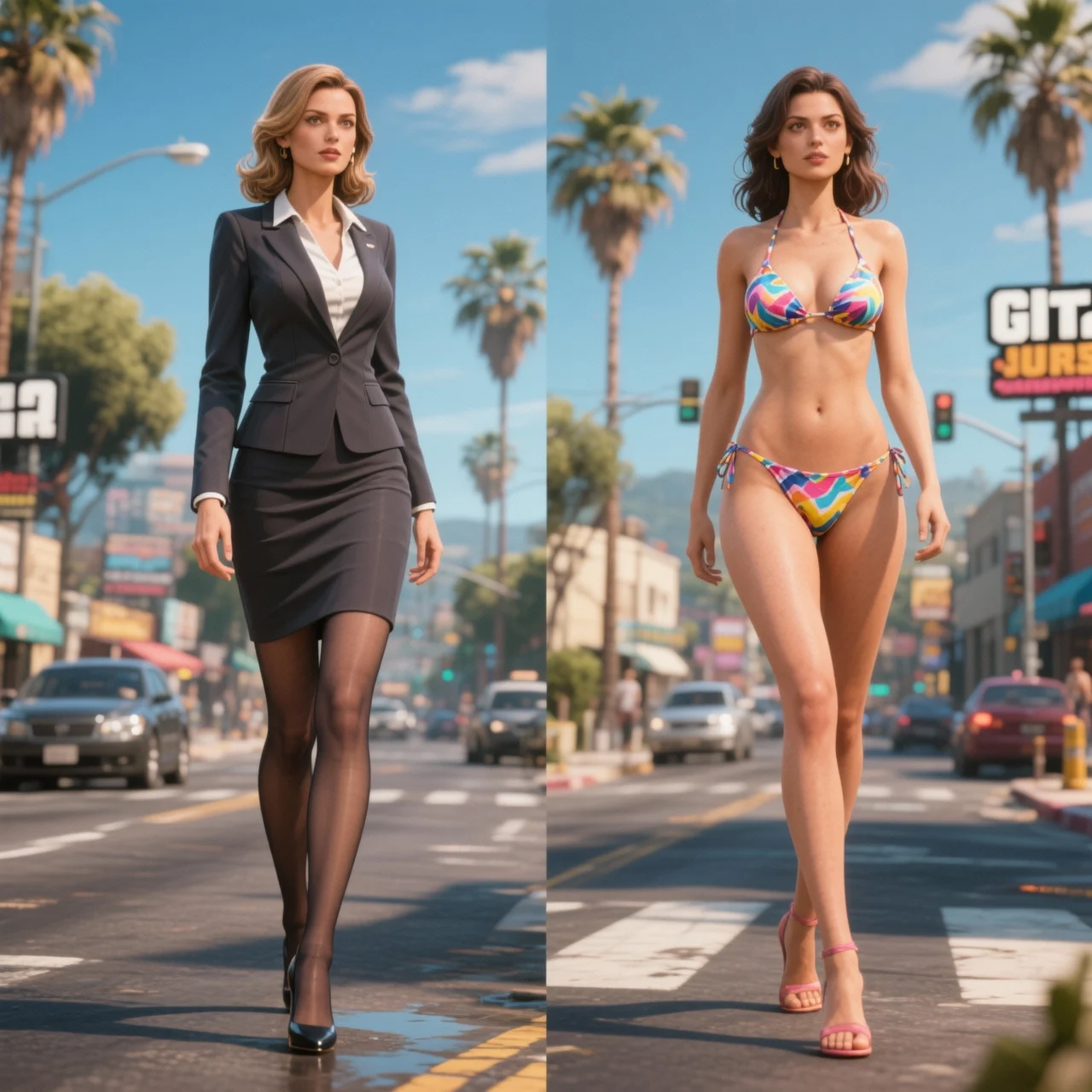
One street, two looks
Same palm-lined street, two outfits: a charcoal suit, then bright swimwear. A clip like this helps you plan a character or an outfit change.
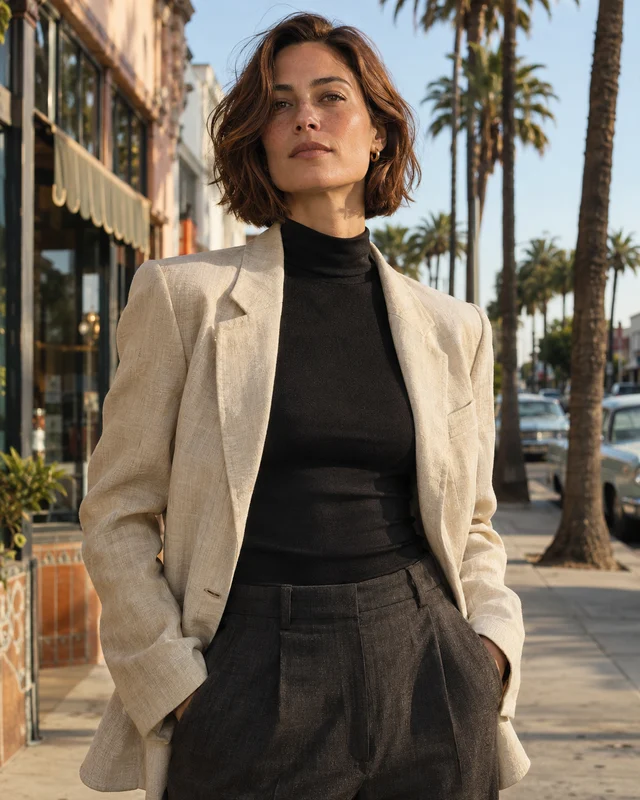
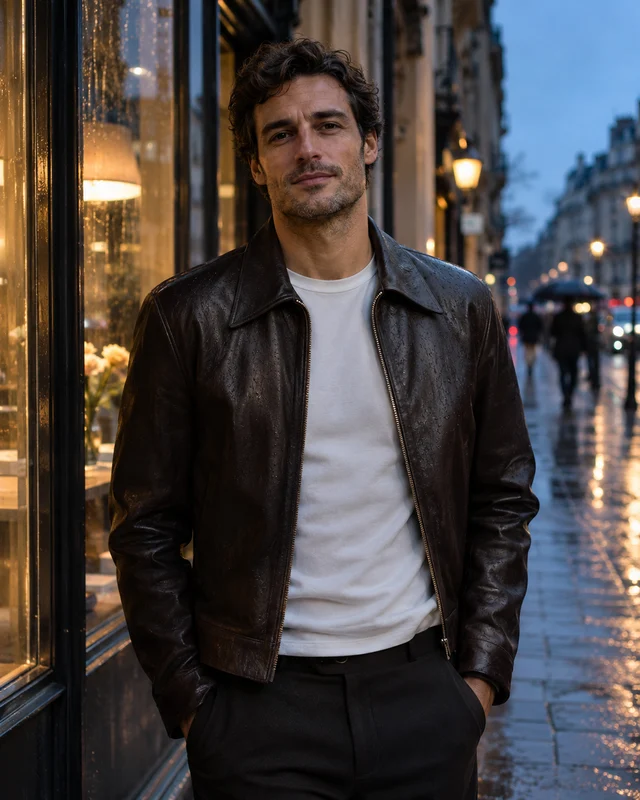
From illustration to realism
Start from the illustration above. These two concepts try realistic light and styling.
Read about uncensored AI in another language
Start with an image idea
Choose an example, edit the prompt, then continue in Image Studio. Preparing this draft is free; generating happens in the studio.
An account is required. Check your available image allowance and the job cost in Image Studio before generating or editing. One-time packs and monthly plans provide image credits.
Browse image and photo-editing examples
Choosing an example changes your draft only. It does not upload a photo, start a job or use credits.
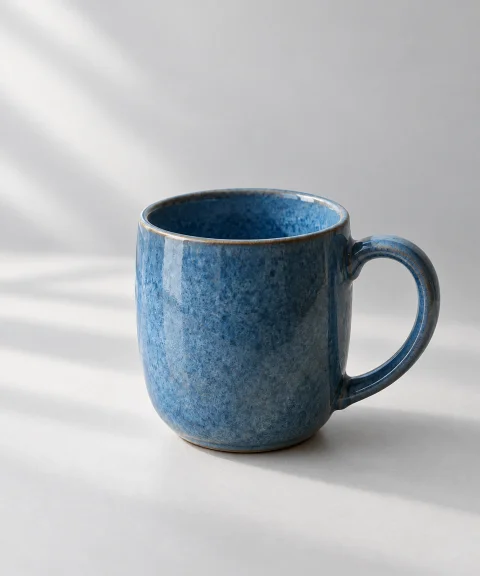
A blue ceramic cup on a pale stone surface, soft window light, close-up product photography, realistic texture, no text or logos.
An original fashion illustration of a fictional woman in her thirties wearing a tailored emerald suit, clean cream background, full-length composition, detailed fabric, no text or logos.
An original floating garden city above the clouds, warm sunrise, wide cinematic composition, detailed architecture, no text or logos.
Replace the background with a warm beige studio backdrop. Keep the main subject and its details unchanged.
Change the main object to deep blue. Keep its shape, texture, background and lighting unchanged.
Add soft, natural daylight and gentle shadows. Preserve the original subject, colors and composition.
Choose your image workflow
Make a new visual from text, or edit a photo you already have. Compare a one-time pack with Go’s monthly image refill.
Inspect a real source image and edited resultKeep this draft open while you review checkout. After payment, return here and continue in Image Studio.
Generation and editing require image credits. A Go refill does not add 3 extra credits on top of a higher balance. A credit is not always one finished image, so check the cost of the job you pick. These are global USD reference prices; regional prices and currencies may differ. Review the final price and renewal terms before paying.
A real Image Studio result
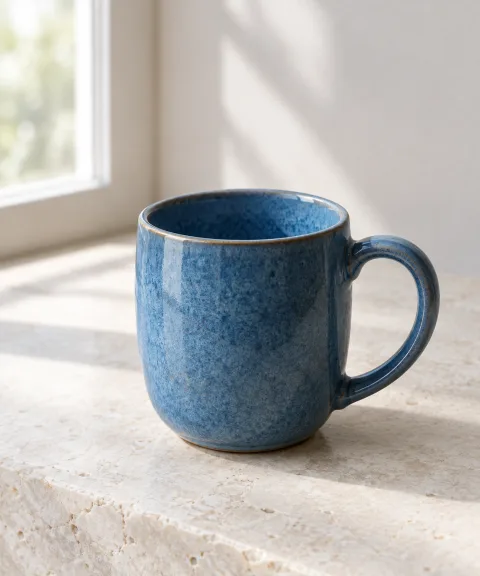
Exact prompt used · English
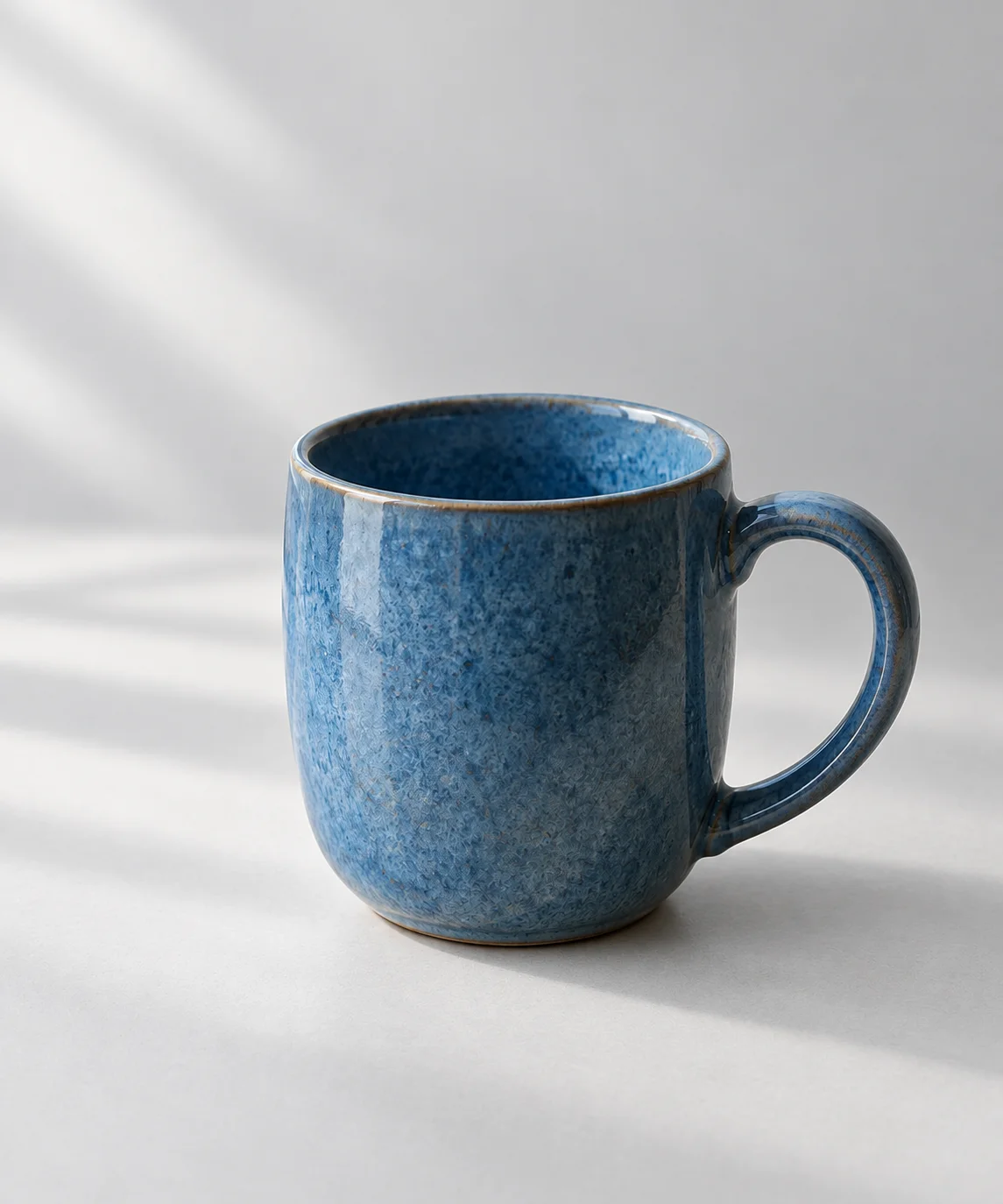
A blue ceramic cup on pale stone, soft window light, no text or logos.This button prepares a draft. It does not generate an image or use credits. Review the model and cost in the studio before starting.
About this result
An internal product test, using the prompt below. The original output was 1145 × 1374 pixels; this page uses a smaller web copy. This is one result, not a quality benchmark. Your results will vary.
See a real background edit
One internal Image Studio test using our own AI-generated cup. Compare the source with the downloaded result before deciding whether this workflow fits your task.
Source image
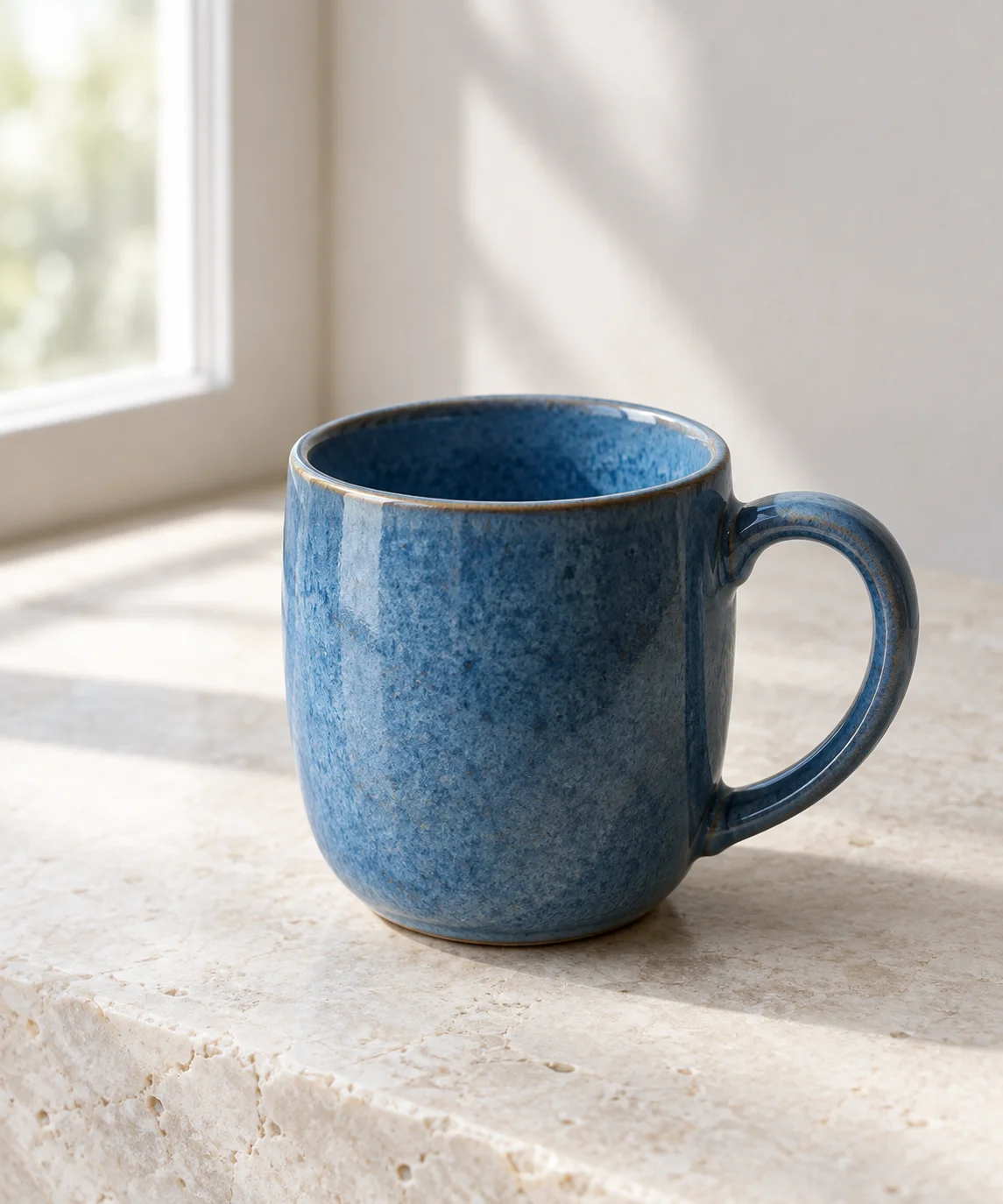
Edited result
Inspect the edit at a larger size
Move the divider to compare the original file with the actual edited result. Check the background, handle and surface. Full-size downloads remain available above.
Exact editing instruction
Replace only the background with a pale gray studio backdrop. Preserve the blue ceramic cup, its handle, glaze, shape, position and framing. Keep natural light and a realistic contact shadow. Do not add text, logos or extra objects.What changed, and what still needs review
- The background changed as requested, and the cup remained blue with a comparable composition and handle shape.
- The glaze texture, lighting and highlights also changed. This was not pixel-exact preservation. Compare the full-size files before using an edit to represent a specific product.
This is one observed result, not a quality benchmark or a guarantee of the same output. Downloading these files and copying the instruction are free. To try the example, upload the source in Image Studio and paste the instruction. Image edits require image credits; review the job cost before submitting. Opening the editor does not start a job.
Image credits without a subscription
Buy a one-time pack for image generation and editing. Choose a monthly plan when you also want more chat and other tools.
In Image Studio, a credit-funded generation or edit uses 1 image credit. A new version is a separate request.
Compare monthly plansReview your available image allowance in the studio before starting. Purchased image credits do not expire. Video uses separate credits.
Global USD reference prices. Regional discounts may apply; review your final total and payment terms at checkout.
Checkout opens in a new tab to keep your draft here. Return to this page and continue in Image Studio after payment.
Download the image generation and editing comparison kit
Use three repeatable briefs to compare a new image, a constrained scene and an edit to your own photo. Record details preserved, corrections needed and actual cost.
Editable text · Three proposed exercises · Blank attempt and results tables
Download the comparison kitFree to download without an account. Image jobs require credits. This is a planning resource, not a benchmark or a generated result.
Four images. Four starting points.
Explore the details, copy an example prompt, and make the idea your own.
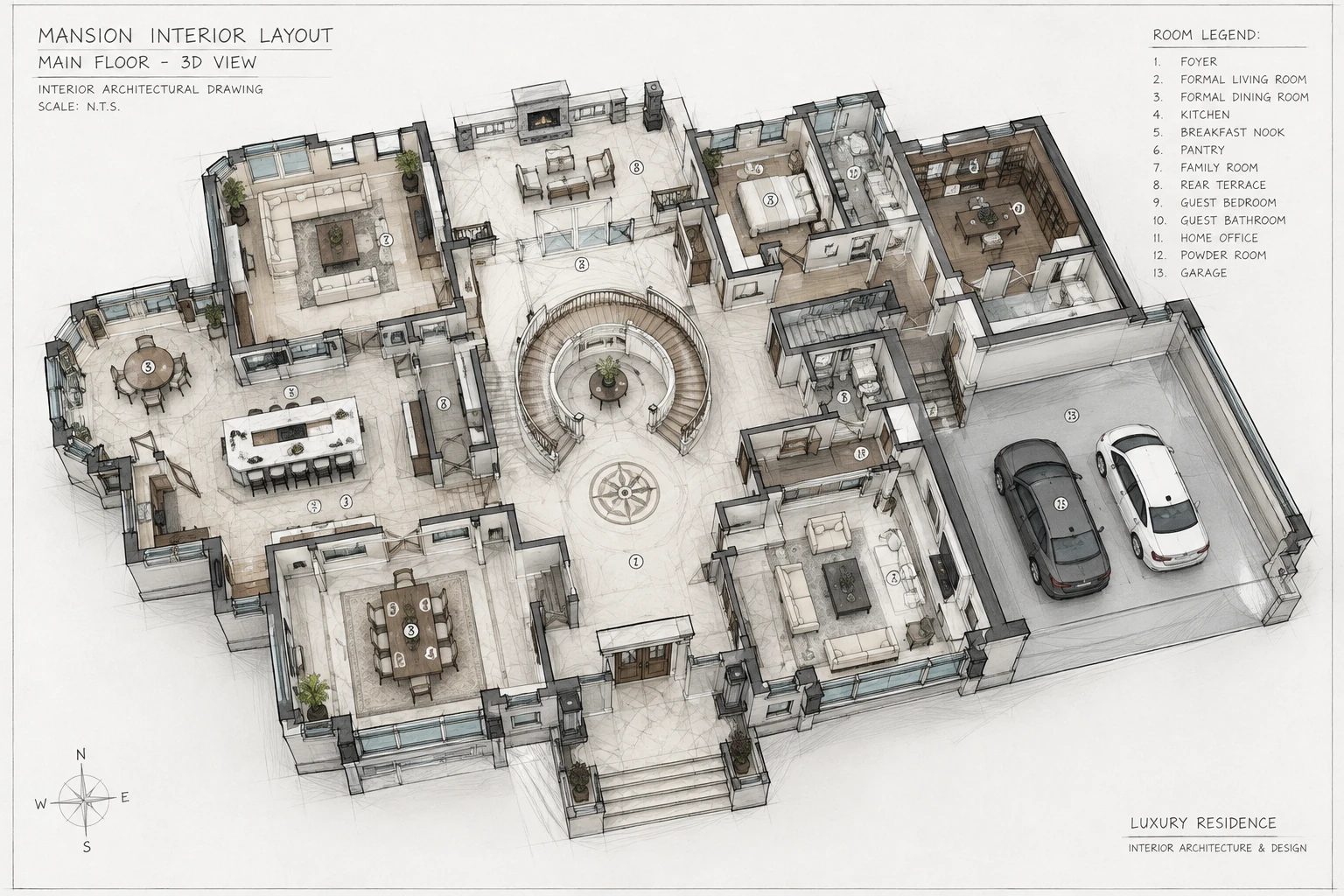
Architectural imagination
Suggested prompt
A detailed isometric cutaway of a luxury mansion’s main floor, drawn in fine pencil and soft watercolor on ivory architectural paper. Show a grand circular staircase, marble foyer, furnished living and dining rooms, kitchen island, guest suite, office and two-car garage. Include numbered rooms, a handwritten room legend, a compass and subtle construction lines.
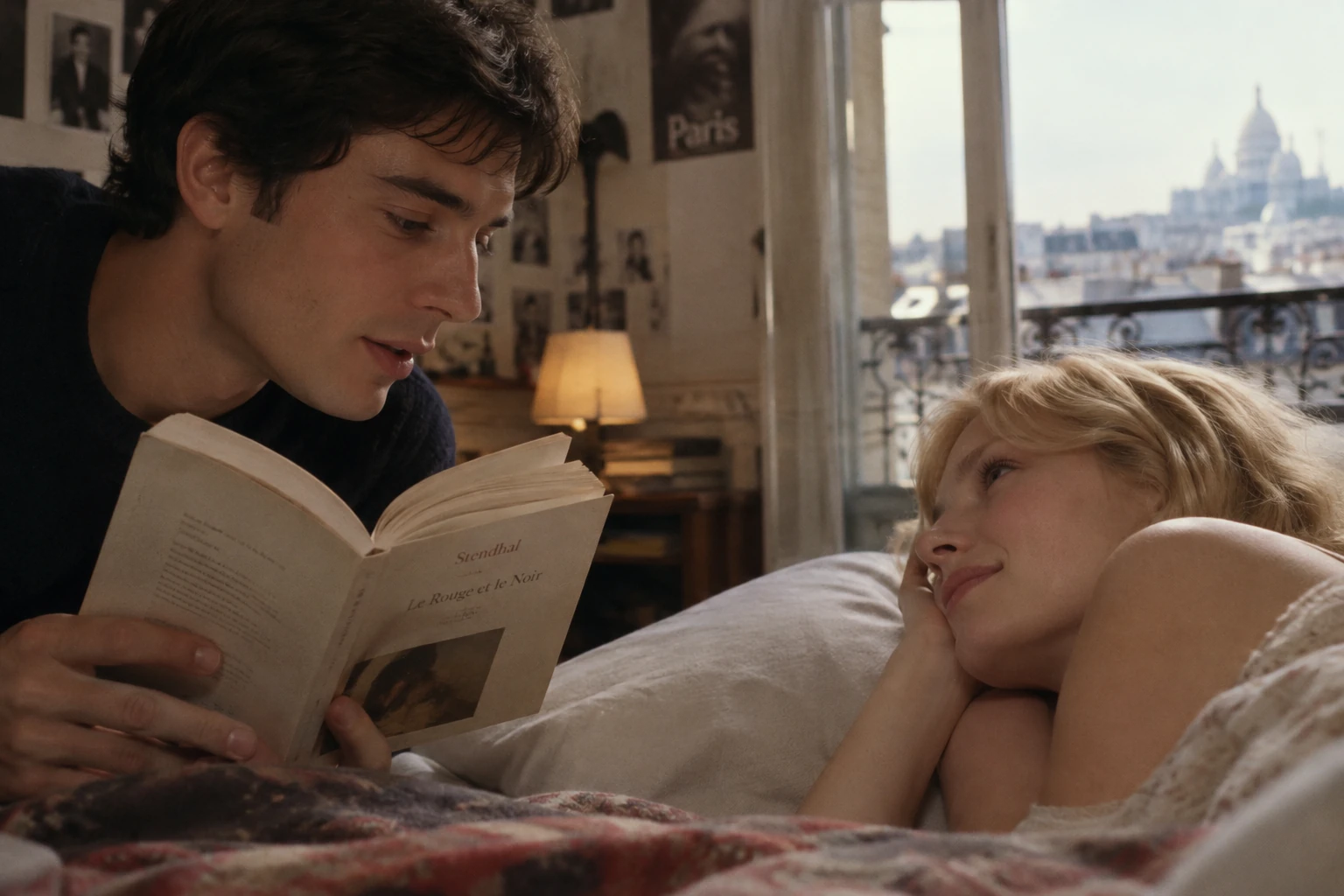
A quiet morning in Paris
Suggested prompt
A cinematic 35mm film photograph of a couple in their thirties sharing a quiet morning in a cozy Paris apartment. A dark-haired man reads a French novel beside a smiling blonde woman resting under soft linen. Warm lamplight mixes with natural window light; Paris rooftops and Sacré-Cœur appear beyond the balcony. Close framing, gentle film grain, natural skin texture and muted colors.
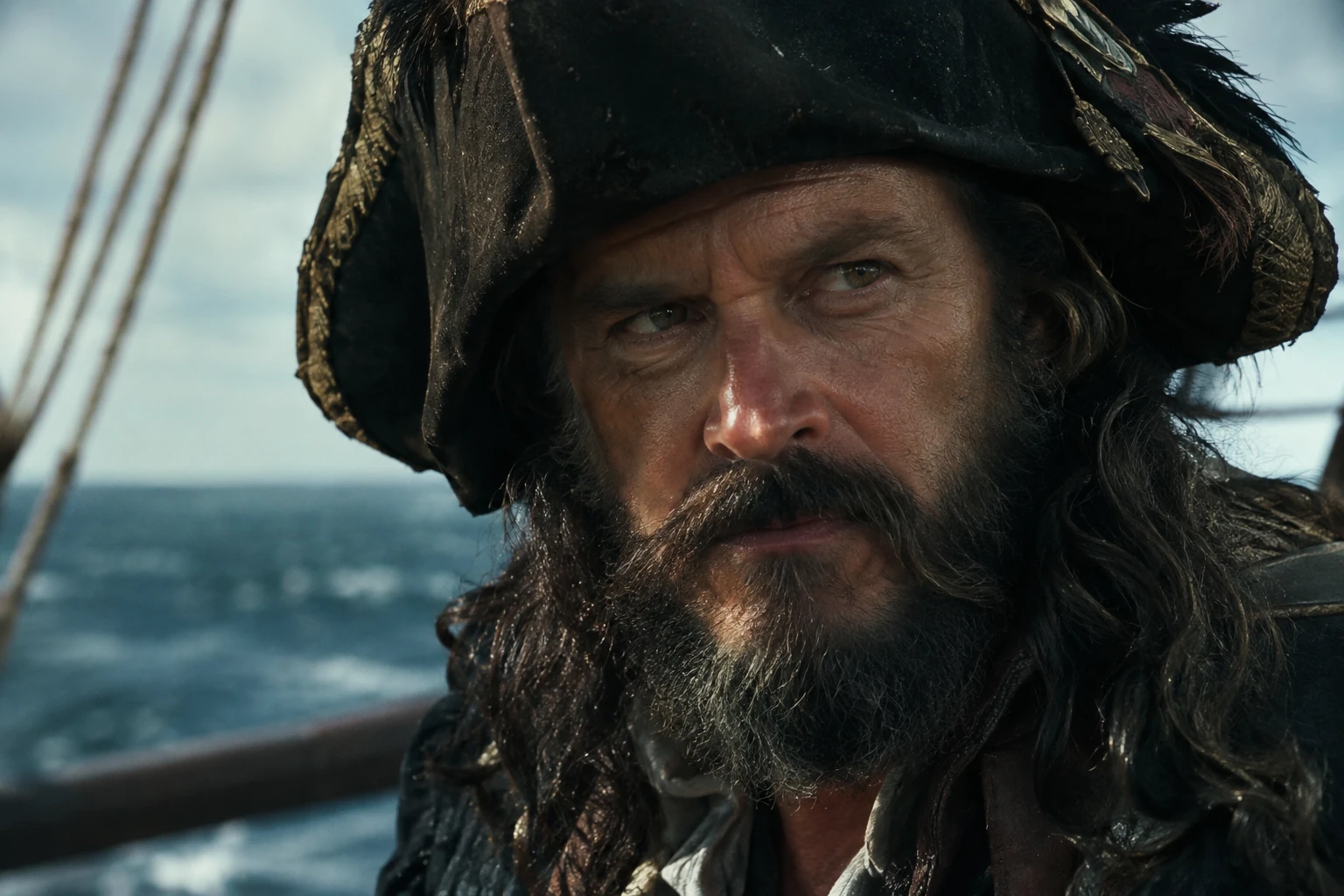
A story written by the sea
Suggested prompt
An extreme close-up cinematic portrait of a weathered pirate captain aboard a wooden sailing ship. He wears an aged black tricorn hat with feathers, long dark hair and a thick beard with small braided details. Focus on his piercing pale eyes and sun-worn skin. Ocean, rigging and pale sky blur behind him. Natural daylight, dramatic texture and subtle film grain.
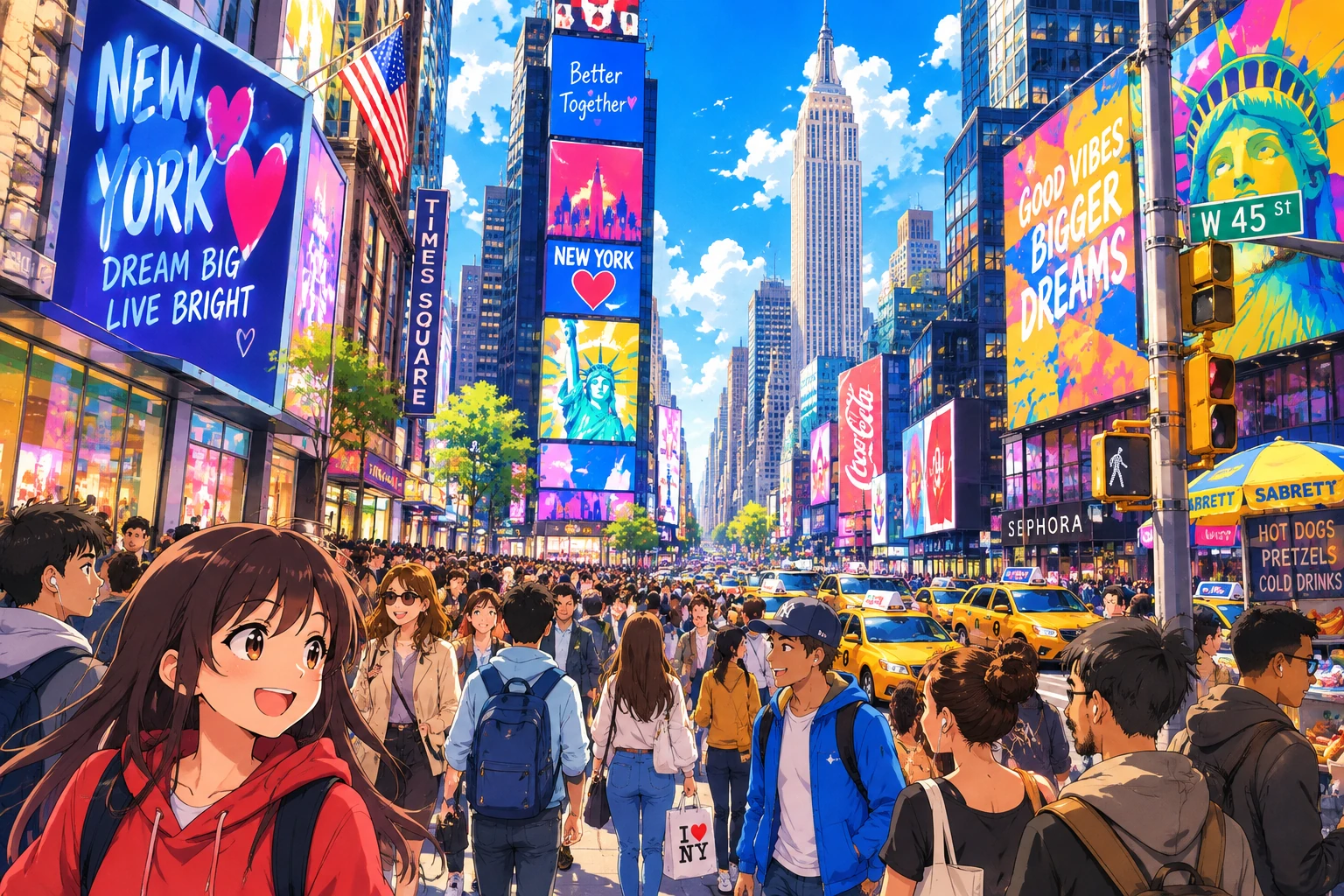
Times Square, reimagined
Suggested prompt
A vibrant anime illustration of Times Square on a clear summer afternoon. Fill the scene with colorful billboards, yellow taxis, American flags and lively crowds beneath a brilliant blue sky with fluffy clouds. Place a cheerful traveler in his twenties in a red hoodie in the foreground and detailed New York architecture in the distance. Rich colors, crisp linework and a wide cinematic composition.
A starting idea, not a promise of the same image. An account is required; review the studio’s allowance and credit cost before generating.
See What's Possible
A fixed gallery of visual ideas, from photorealistic scenes to fantasy worlds.
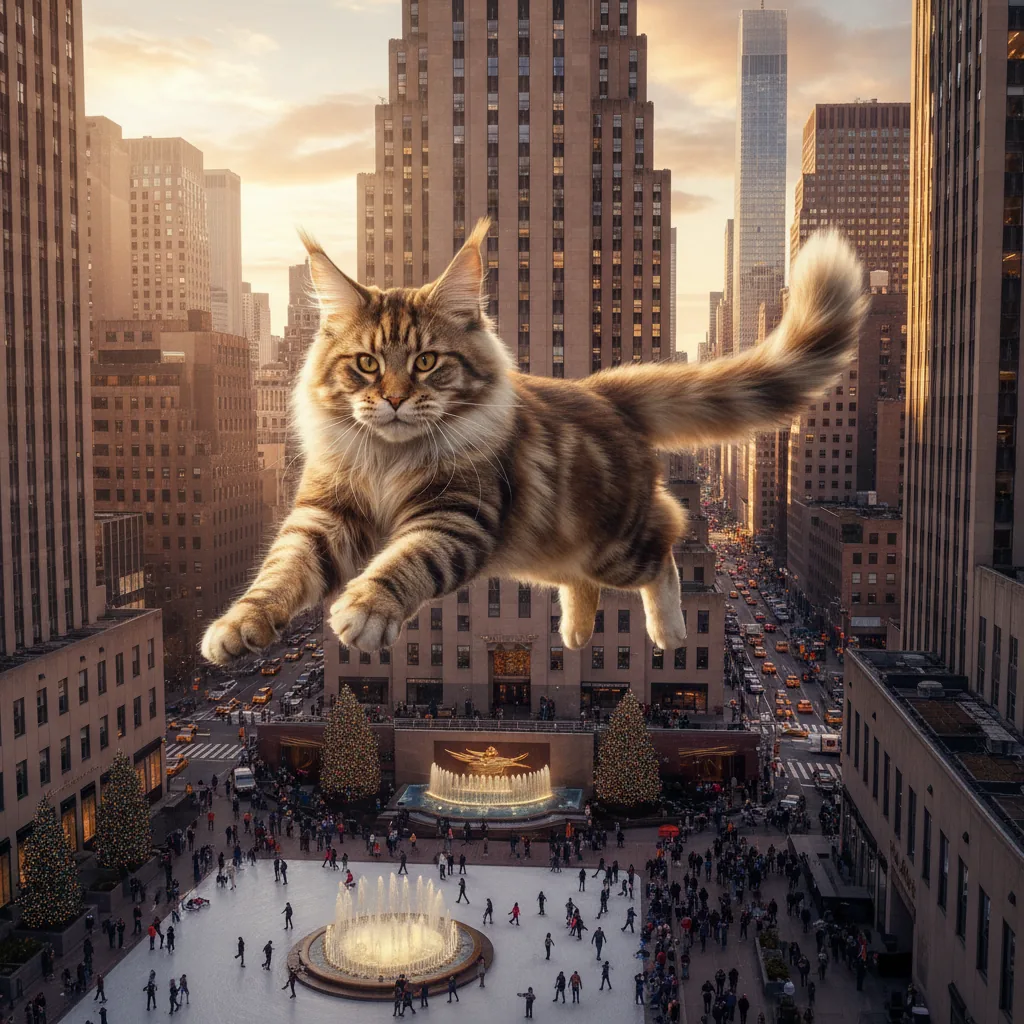
"A giant Maine Coon cat leaping over Rockefeller Center in NYC at golden hour"
Suggested prompt
A giant Maine Coon cat leaping over Rockefeller Center in NYC at golden hour
A starting idea, not a promise of the same image. An account is required; review the studio’s allowance and credit cost before generating.
Capabilities
Professional Results
Manga and Creative Work
Explore character art, game-style scenes and non-graphic fictional action within the published content rules.
Multi-Model Chat
Use chat to develop your brief. The Baby Engine routes requests across the models available for your task and plan.
Image Generation
Create illustrations, fashion concepts and other supported visual ideas in Image Studio.
Separate Video Studio
Turn suitable concepts into motion when you have the required video credits; costs are shown before generation.
Account Controls
Review your conversation history, account settings and the privacy policy before sharing sensitive project material.
Review Your Image Allowance
Check your available allowance and each job’s credit cost in Image Studio. Compare one-time image packs with monthly plans before choosing.
Use Cases
Built for Every Workflow
Creative Writing
Develop fictional characters, story outlines and scene descriptions in chat, then turn a visual brief into an illustration.
Concept Art & Illustration
Explore original environments, props and illustrated scenes for games, films and art projects.
Fashion & Design
Explore garments, swimwear designs and fictional fashion illustrations. Choose composition, materials and lighting in your prompt.
Marketing & Advertising
Create product mockups and visual concepts, then review details, logos and text before using them in an ad.
Research & Education
Use chat to discuss a topic and develop a visual brief. Check factual claims before using an illustration in educational material.
Video Production
Develop a scene concept, then use the separate Video Studio when its supported workflow and credit cost suit your project.
How It Works
Simple as 1-2-3
Create Your Account
Sign up, then open Image Studio to review available models, image packs and eligible plan credits. Your first image is free once your email is confirmed: generate one image or edit one of your own photos.
Choose Your Studio
Open Image Studio to create a visual, or use chat to develop your brief. Video Studio has its own credit balance.
Download & Share
Download your result, review it for accuracy and check the applicable terms before publishing or using it commercially.
Manga, game-style art and creative agency work
Bring a concrete creative brief: a manga panel, a character study or a visual direction for a client. Brainbaby combines prompt-based generation and image editing in one workspace. Keep your original references, review the full-size result and save useful versions before the next revision.
Build a non-graphic action panel
Describe the characters, setting, framing and drawing style. A fictional scraped knee or a few small stylized blood drops can be part of a manga scene. Be specific about the amount and placement; content rules and provider acceptance still apply.
Keep a character brief across revisions
Record the outfit, silhouette, color palette and features that matter. Use an authorized reference in editing mode, ask for one change at a time and compare the output with your source. Exact character consistency is not guaranteed.
Prepare a client-ready review
Check composition, hands, faces, lettering, visual continuity and source rights before delivering a result. The supplied game-style reference and editorial concepts below show visual directions; they are not a benchmark or a promise of the same output.
Anime, cartoon and manga images
Agencies, studios and independent artists use Brainbaby to draft anime, cartoon and manga art: original characters, story panels and style frames for a pitch. Name the style, describe the panel and keep a short character brief so later images stay on model. Results vary by prompt and model, and exact consistency between images is not guaranteed.
Agency storyboards
Rough out a commercial or music-video idea before the treatment. Example prompt: “Six-panel storyboard in clean anime style: a courier in her twenties sprints across city rooftops at sunset, dynamic speed lines, bold flat colours, no text or logos.”
Webtoon and manga panels
Draft a vertical webtoon beat or a black-and-white manga panel. Example prompt: “Vertical webtoon panel in full-colour manhwa style: two office rivals in their thirties face off in a rain-streaked elevator lobby, low angle, soft cel shading, empty speech bubbles left for lettering.”
Character sheets
Settle a design before you draw the pages. Example prompt: “Character turnaround sheet for an original sky-pirate captain in her thirties in 90s cel-anime style: front, side and back views, neutral pose, colour swatches, plain white background.”
Game art
Explore heroes, enemies and key art for an indie game or a publisher pitch. Example prompt: “Four original grown-up adventurers in chibi style for a cosy role-playing game, pastel palette, thick clean outlines, plain white background.”
Original characters
Use original characters, or characters you hold the rights to. Keep a short character brief (hair, outfit, palette, line weight) and reuse it in every prompt so later images stay on model.
Horror and action film effects
Make movie-style horror and action images for fiction: theatrical blood, prosthetic wounds, creature design and practical-effects lighting. Describe the look as cinematic special effects, keep the wording non-graphic and use fictional characters only. The selected model can still decline a request.
Horror film posters
Example prompt: “A zombie survivor with theatrical blood splatter, 80s practical-effects horror poster style, fog and red rim light, space at the top for the title, no text.”
Concept art and creature design
Example prompt: “Creature concept art for a fictional swamp monster: moss-covered latex-look skin, glowing amber eyes, full-body turnaround, muted greens, film pre-production presentation.”
Special-effects makeup references
Show a makeup or prosthetics team the look you want. Example prompt: “Reference photo of a fictional character in his forties in theatrical SFX makeup: a prosthetic scar across the cheek and a little stage blood, makeup-chair setting, soft studio light.”
Action scenes and manga battles
Example prompt: “Stylized battle scene with ink-splash blood in seinen manga style: a swordswoman in her thirties mid-strike in a moonlit bamboo forest, heavy black ink, screentone shading.”
Horror game art
Example prompt: “Key art for a fictional survival-horror game: a survivor in his forties holds a lantern in a flooded subway tunnel, desaturated palette, cinematic composition, no text.”
What is never allowed
Content that glorifies real-world violence, terrorism, self-harm or animal cruelty, and anything else that is illegal or against our Terms of Service.
Create a new image or edit a photo you already have
Brainbaby combines an AI image generator and image editor with chat in one account. Start with a written idea to create an original visual, or upload a source photo in editing mode to request a specific change. The prompt planner above supports both workflows; preparing a draft does not start an image job.
Text to image: build the scene from your brief
Choose Create an image when you need a new illustration, product concept or fictional environment. Specify the subject, framing, lighting, colors and details to exclude. A generated product concept is useful for exploring an idea; use an authorized source photo when you need to represent a real item accurately.
Image editing: keep the source, describe the change
Choose Edit a photo when you want to replace a background, explore a garment color or revise an existing image. Upload your source in the studio, say what should change and list what should stay the same. Review the result against the original: an instruction to preserve details does not guarantee that every detail will survive.
One account for the brief and the result
Use Brainbaby chat to develop the creative direction, then bring the finished instruction into Image Studio. The planner lets you switch between creation and editing while keeping a separate draft for each. Continue when the wording is ready, review the model and displayed credit cost, and submit the job in the studio.
How to edit an image without losing important details
A useful image-editing prompt separates the requested change from the details you want preserved. Start with one change so you can judge the result before combining several revisions.
1. Choose the source and identify the protected details
Use an image you own or have permission to edit. For a product photo, note the silhouette, color, material, label, crop and lighting. Keep the original file so you can compare it with the download. Avoid confidential source material unless you have reviewed the applicable data-handling terms.
2. Write a narrow revision instruction
Replace only the background of my uploaded blue ceramic cup photo with a pale gray studio background. Preserve the cup shape, blue glaze, handle position and original framing. Match the original lighting and contact shadow. Do not add lettering, logos or other objects.
3. Check the result at full size
Compare the handle, edges, label and surface texture with the source. Look for unintended recoloring, new objects or distorted text. If an essential product detail changed, treat the output as a concept rather than an accurate product photograph. Use a manual layout editor for exact wording or precise label placement.
4. Save what worked before making the next revision
Download and open the result, keep its instruction with the original, and record any remaining correction. Check the saved job status before repeating an interrupted request. Judge each new attempt on the same requirements instead of changing the brief every time.
Free, paid or local: which uncensored AI generator fits
Most searches for a free uncensored AI generator end in one of three setups. Each one trades money for something else: a small allowance, a credit balance or your own hardware. Check the real limit before you spend time on a long prompt.
A free start on a hosted service
Free online tools usually cap you with a daily or one-time allowance, and some add a watermark, a lower resolution or a slower queue. On Brainbaby the free start is one image after you confirm your email, either a generation or an edit of a photo you own.
Credits or a plan on the same service
Paying removes the cap without any setup. Any paid plan, Brainbaby Go included, adds image credits and a larger chat allowance every month. One-time image packs add credits without a subscription, and purchased image credits do not expire. The free and paid table at the top of this page shows the current prices.
An open-source model on your own computer
Running an open model, such as a Stable Diffusion or FLUX checkpoint, has no per-image fee, but it needs a capable graphics card, large model downloads and setup time. Model licences and the law still apply, and nobody reviews the output for you.
How we tested what this page says
This page describes Brainbaby’s own product. It is not a review of other generators. Here is what we checked, and what we did not.
A recorded generation and a recorded edit
On 5 October 2026 we generated the blue-cup image shown on this page in Image Studio, from the exact prompt printed with it; the output was 1145 × 1374 pixels. On 24 October 2026 we edited its background and recorded what changed, including the glaze and lighting changes we did not ask for.
The free image and the prices
The free image, the pack prices and the plan prices on this page are pulled from the pricing settings that Brainbaby’s checkout uses, so the page changes when a price changes. We last reviewed it on 22 November 2026.
The content rules
What is allowed and what is blocked comes from Brainbaby’s terms and the automated checks on each image request: lawful fiction and art are in scope, and requests that break the rules are blocked. A model provider can still decline an individual prompt.
What we did not test
We did not run a quality, speed or refusal-rate benchmark against other generators, and we do not rank them. To compare tools on your own briefs, use the free comparison kit on this page.
What uncensored AI means on Brainbaby
Creative flexibility with published limits
Uncensored AI is a product label, not a technical standard or a promise that every request will be supported. Brainbaby’s web image tools support permitted manga, fictional character art, visual concepts and photo editing within the platform’s terms and the image provider’s rules. Describe your actual task clearly; a label such as “no filter” does not tell an image model what composition to create.
Image jobs require credits
Sign up and your first image is free: once your email is confirmed, generate one image or edit one of your own photos. After that, both image workflows use image credits from an eligible plan or a one-time image pack. Review the current balance and job cost in Image Studio before submitting. Video Studio uses a separate video credit balance.
Check source rights before publishing
Use source images you have permission to edit and review the selected model’s terms before commercial use. Check the finished output for unwanted logos, misleading product details or other errors. Brainbaby’s privacy policy explains account data handling; provider terms may also apply to the chosen workflow.
Brainbaby compared with the alternatives
People looking for uncensored AI usually compare three kinds of tools. We do not publish scores or rankings of services we have not tested; these are differences you can check yourself.
General-purpose chat assistants
They are built for a general audience, and each company sets and changes its own rules, so dark or unusual fiction may be declined. Brainbaby keeps chat, image creation, photo editing and video in one account, with published rules for what it accepts.
Open models on your own computer
Running an open image model locally needs no account and sends nothing to a server, but it takes a capable graphics card, setup and tuning, and all responsibility for how it is used stays with you. Brainbaby runs in the cloud, works in a web browser on a computer or phone without a GPU, and shows the cost before each image or video.
Sites that promise “no rules at all”
Be wary of a service that accepts anything, including misusing photos of real people: that can be a crime in many countries and harms real people. Brainbaby blocks those requests automatically and states what it accepts.
How you pay
Your first image is free once you confirm your email; after that you can buy one-time image credit packs that do not expire, or choose a plan. Video has its own credits. Compare that with what a usable result costs elsewhere.
Compare image tools before buying more credits
Use the same task and source photo in each tool. This free worksheet helps you record what actually worked, what changed and what each usable result cost.
- Try the same product concept and scene instructions.
- Check an edit against the original photo at full size.
- Record attempts, settings and costs in the same currency.
Blank worksheet · Markdown text · No account needed · CC BY 4.0 with attribution
Published by Brainbaby. These are suggested exercises, not measured rankings. Downloading the worksheet does not include image jobs; check the studio’s current image-credit balance and displayed job cost before generating.
Calculate the cost of a usable image
Include the cost of unsuccessful attempts in your total. Count only results that meet your brief and are ready for your intended use.
Cost per usable image = total spend ÷ usable images.
Enter your total spend and usable-image count to see the result.
Calculated only in this page; your figures and tool names are not stored by Brainbaby or sent to analytics. Downloading saves a CSV on your device. Use one currency for all costs. No currency conversion, credit estimate or checkout quote; displayed result rounded to six significant digits.
Frequently Asked Questions
Is there a free uncensored AI generator?
Yes, to start. Brainbaby is an uncensored, unfiltered AI image generator and photo editor. After you confirm your email, your first image is free: one generation or one edit. After that, Brainbaby Go is $4/month, and one-time packs start at $5 for 5 credits.
Do I need a subscription to generate or edit images?
Not for everyday images: your first image is free after you confirm your email, and one-time image credit packs work without a recurring subscription. Plans start with Brainbaby Go at $4/month. Review the final checkout quote and each image job’s cost before submitting.
Is one image credit the same as one finished image?
Not necessarily. The selected model, settings and operation determine the displayed credit cost. Check that cost in Image Studio, and include any revision attempts when comparing the cost of a usable result.
Should I use the generator or the photo editor?
Use generation for a new scene from text. Use editing when you already have an authorized source photo and want to change part of it. In either case, inspect the full-size download before publishing.
Is Brainbaby really uncensored?
Uncensored is a broad label, not a guarantee that every prompt is supported. Brainbaby’s terms, model policies and available tools define the limits. Use the platform for permitted creative work.
Is there an uncensored AI chat as well?
Yes. Brainbaby chat is built to avoid needless refusals on lawful requests, such as dark or dramatic fiction, frank answers on medical or legal topics, and blunt marketing copy. It does not spend image credits. The selected model can still decline, and the same consent and legal limits apply. The uncensored AI chat guide has example prompts.
Can I make uncensored AI videos?
Video Studio turns a text prompt or an image you are allowed to use into a clip of 2 to 30 seconds, at 480p, 720p or 1080p. Video uses a separate video credit balance, and the cost is shown before you generate. Lawful fiction and art are in scope, within our Terms of Service.
How should I use an uncensored AI tool safely?
Use images and prompts you have the right to use, protect other people’s privacy and review each result before sharing. Check Brainbaby’s current terms, privacy policy and credit cost for the tool you choose.
How is Brainbaby different from ChatGPT?
Brainbaby combines chat, Image Studio and Video Studio in one account. The web studios support dark, dramatic and stylized creative work, with separate image and video credit balances.
Which creative tasks can I explore?
Start with product mockups, fictional environments, illustrations and fashion concepts. Choose the appropriate studio and review its current model options, costs and content rules.
What is the difference between an AI image generator and an image editor?
A generator creates a new visual from your description. An editor accepts a source image and an instruction to change it. Use Brainbaby’s editing mode for a photo you want to revise, and creation mode for an original scene or concept.
Can I change a background while keeping my product the same?
Upload a source photo in editing mode, request only the background change and list the details to preserve, such as shape, label, color and crop. Compare the result with the original at full size. Exact preservation is not guaranteed; review every important product detail before publishing.
Do I need an account to generate or edit images?
Yes. You can prepare a prompt and download the comparison kit without an account. Sign in to Image Studio to upload a source, review your credit balance and submit an image job.
What AI models are available?
The Baby Engine routes requests across supported models. Check the current model options in the studio; availability and supported tasks can change.
Can I use uncensored AI for business?
You can develop product mockups, illustrations and fashion concepts. Before publishing a result commercially, check the selected model’s terms, your rights to any source material and the result itself.
Does Brainbaby store my prompts?
Brainbaby saves account history so you can return to your work. Read the current privacy policy and provider terms before uploading sensitive or confidential material.
Which anime, cartoon and manga styles can I use?
Name the style in your prompt: shōnen action, shōjo romance, chibi, full-colour webtoon or manhwa, 90s cel anime, western cartoon or comic book. Agencies use them for storyboards, webtoon and manga panels, character sheets and game art. Create original characters, and give every character a clear grown-up age wherever a scene is violent or dramatic.
Can I make horror images with blood for a film poster?
Yes, as movie-style special effects for fiction: theatrical blood, prosthetic wounds, creatures and practical-effects lighting for posters, concept art and SFX makeup references. Keep the prompt cinematic rather than graphic. Content that glorifies real-world violence, terrorism, self-harm or animal cruelty is never allowed.
What is the best uncensored AI?
It depends on the task. For chat, image creation and photo editing with clear rules in one account, Brainbaby is one option; if you want nothing to leave your computer, an open model running locally may suit you better, provided you have a capable GPU. Try the same prompt in each and compare what a usable result costs.
Can I edit photos of real people?
Only ordinary edits, such as background, light or style, to photos you have the right to use. Edits that misrepresent a real, identifiable person or are made without their consent are always refused, however the request is worded.
Can I use it without signing up?
You can read this page, prepare a prompt and copy it without an account. Generating or editing needs a free account; the prompt you prepared is carried into the studio after you sign up.
Explore More AI Tools
Ready to Make Your First Image?
Create an account, open Image Studio and see the available models and credit cost before you generate.
Open Image StudioResponsible use
We follow the law and the rules of the app stores and services we run on. Automated checks stop image and video requests that break these rules. We act on reports of harmful output and suspend accounts that break our Terms.
Only upload images and clips that are yours or that you have permission to use.
Allowed
Lawful fiction and art, dark and dramatic themes, movie-style horror and action effects, frank answers on health, law and other sensitive topics, and edits to photos you own or may edit (background, light, outfit, style).
Always refused
Deepfakes meant to deceive, and anything else that is illegal or against our Terms of Service. Rewording a request does not make it allowed.
Accounts and the Terms
Creating images, editing photos and making videos need an account; nothing is generated anonymously. Creating an account accepts the Terms, and automated checks block requests that break them. Accounts that break the Terms can be suspended.