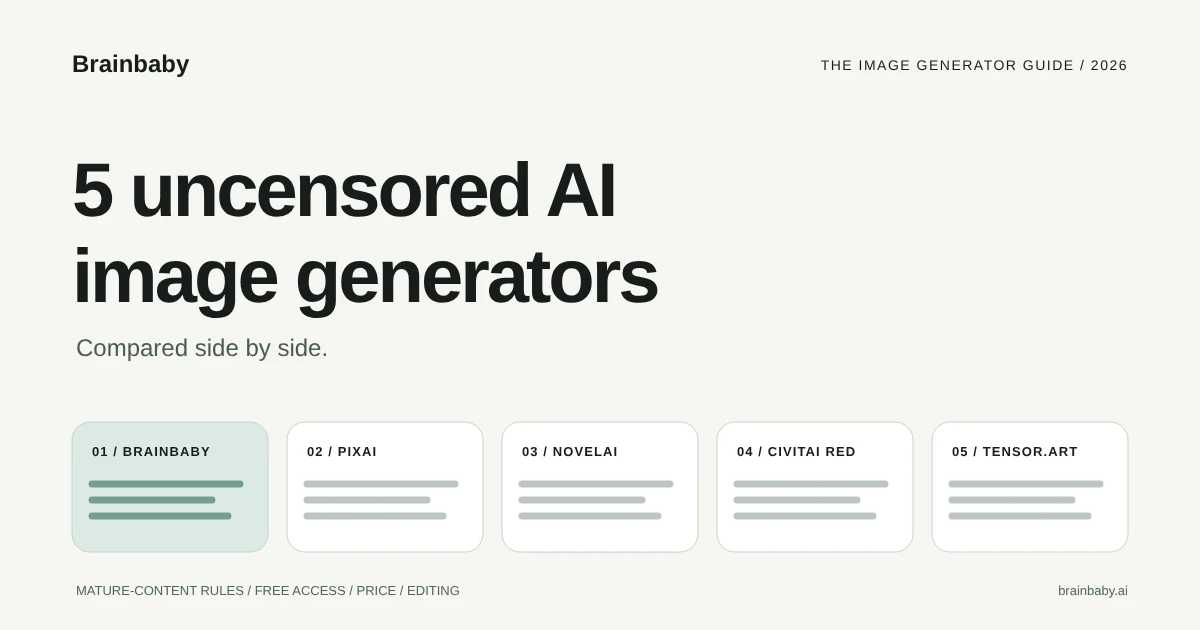
Short answer: No AI image generator is truly "no rules". The best uncensored AI image generator for you depends on what you need:
- Brainbaby: one browser account for creating images, editing photos in plain language, video and chat, with fewer needless refusals.
- PixAI: anime characters.
- NovelAI: illustration combined with story writing.
- Civitai Red: the largest catalog of community models.
- Tensor.Art: cheap, safe-for-work experiments.
Every one of them still bans anything illegal.
What "uncensored" actually means in an AI image generator
People search for an AI image generator with no restrictions after a tool refuses a detailed prompt or quietly waters it down. "Uncensored" is not a single feature, though. When you compare tools, check five things:
- The written rules. What the platform allows, what it keeps behind a paywall or age gate, and what it never allows.
- Who sees the result. Some tools gate certain results until you pay or change a setting. Others refuse the prompt outright.
- What a usable image costs. Free daily credits, one-time trials and memberships work very differently once you need retries.
- How editing works. Can you change one detail with a plain sentence, or do you need masks, a different model or a full re-roll?
- Where it runs. In a browser, in a mobile app (app stores have stricter rules), or on your own GPU.
A tool can be generous on one of these and strict on another. That is why the same tool can appear "uncensored" in one review and "censored" in the next.
The 5 uncensored AI image generators at a glance
Prices and rules change often. Check each tool's current pricing and policy page before you pay.
1. Brainbaby: best all-in-one uncensored AI image generator
Brainbaby is an uncensored, unfiltered AI image generator and photo editor. It runs in your browser on a computer or phone, with no GPU or setup. One account covers:
- Image generation: from the Images studio, or by asking in chat.
- Photo editing in plain language: "change the background to a rainy street", "make the jacket black", "add soft window light".
- Chained edits: each edit builds on the last one, so the subject stays consistent.
- Select-area edits: change one region and leave the rest alone.
- Video: text-to-video and image-to-video.
- Chat: for writing, research and brainstorming prompts.
What Brainbaby allows, and what it never allows
Brainbaby publishes its rules instead of hiding them:
-
Allowed: lawful fiction and art, dark and dramatic themes, movie-style horror and action, and edits to photos you own or have the right to edit (background, light, outfit, style).
-
Always refused:
- edits of real, identifiable people without their consent;
- deceptive deepfakes;
- anything illegal.
Rewording a request does not get around this.
-
Accounts: creating images, editing photos and making videos all need an account, and creating one accepts the Terms. Automated checks block requests that break them.
What it costs
- Free to start: after you confirm your email, your first image is free, as one generation or one edit. You also get a weekly free chat allowance.
- Paid options:
- any paid plan (opens in a new tab), starting with Brainbaby Go at $4/month, which includes 3 image credits a month;
- a plan trial;
- a paid image credit pack, from $5 for 5 images. Packs are one-time purchases that don't expire.
- For heavier use:
- Pro, $20/month, 10 image credits;
- Pro+, $100/month, 25 images and 7 videos;
- Max, $200/month, 100 images and 28 videos.
- Video uses its own credits, from $5 for 2.
- The cost is shown before every image or video, so a retry never surprises you.
Where Brainbaby fits
Pick Brainbaby if you want an uncensored AI photo editor and generator that takes plain-language instructions, plus video and chat, without managing models, checkpoints or masks. One note: the full studio runs on brainbaby.ai in your browser; the iOS and Android apps follow app-store rules.
Try it: open the uncensored AI image generator, the spicy AI image generator for manga and art or the uncensored photo editor. You can write and copy a prompt before you sign up.
2. PixAI: best for recurring anime characters
PixAI is built around anime and illustration. Its newer anime models include image editing, so you can revise a character without leaving the model that drew it. That matters when you bring the same character back across many scenes.
It suits people who mostly make anime art and want a dedicated anime workspace with free daily credits. What it allows is governed by PixAI's own content guidelines. Read them before you rely on a specific kind of content. If you also want photo editing of your own images, video, or a general chat assistant in the same account, you'll need a second tool.
3. NovelAI: best for illustration plus story writing
NovelAI pairs anime image generation with a long-form story writer, which makes it a favorite for writers who want art for their own fiction. Its prompts follow descriptions closely. Editing is more hands-on: you paint a mask for inpainting, or use reference tools that rebuild the scene around your character.
The free trial is small and one-time. Paid tiers start with Tablet at $10/month, and the higher tiers add more image allowance. NovelAI publishes fewer specifics about which content categories are allowed than the others, so read its terms carefully.
4. Civitai Red: best for model tinkerers
In 2026 Civitai split into two sites. civitai.com is safe-for-work; civitai.red carries the full community catalog. Both use the same account.
The catalog is huge, which is the appeal. The trade-off is that every model supports different features: one may generate beautifully but not support editing at all, so a revision can mean switching models and losing your style. Some generation on Red needs a membership, and memberships are sold on civitai.com.
Choose it if you enjoy picking checkpoints and LoRAs and don't mind trial and error.
5. Tensor.Art: best for cheap safe-for-work experiments
Tensor.Art gives you free daily credits and a large library of community models, so trying ideas costs very little. Its main site has been safe-for-work since late 2025, and looser content moved to a separate token-based site, TensorHub.
Results depend heavily on the model you choose and on the settings recommended by the model's creator. Tensor.Art is a good sandbox for art that stays safe-for-work. Don't count on it for uncensored AI image generation anymore.
Bonus: open models on your own computer
You can run an open image model locally with no account, and nothing leaves your machine. It takes a capable graphics card, setup and tuning, and all responsibility for how you use it stays with you. Cloud tools like Brainbaby skip the hardware and show the price of each image up front.
Try the same test in any tool
The fairest way to compare uncensored AI image generators is to give each one the same safe prompt and the same revision. That tests whether it keeps your character consistent, which matters more than any "no filter" label.
Prompt (original character):
Cinematic illustration, a woman in her mid-30s who keeps a lighthouse, short copper hair, freckles, a small scar through her left eyebrow, a heavy mustard-yellow raincoat, standing on wet rocks at dusk with the lighthouse beam behind her, stormy sea, detailed background, high quality
Revision (one plain sentence):
Change her raincoat to navy blue and put a brass lantern in her left hand. Keep her face, hair, scar, pose and the stormy background the same.
What to score:
- Did the first image follow every detail?
- Did the revision change only what you asked for?
- How many attempts and credits did it take?
- Did you have to paint a mask or switch models?
On Brainbaby you can type the revision as a normal sentence under the image. Each edit builds on the previous one, and you see the cost before you confirm.
To log each attempt and its cost, use the free image-tool comparison sheet. For help writing your own prompt, read how to write prompts for an uncensored AI image generator.
How to choose: quick decision guide
- You want images, photo edits, video and chat in one place, with clear published rules: Brainbaby.
- You mostly draw one anime character again and again: PixAI.
- You write fiction and want matching illustrations: NovelAI.
- You love testing community checkpoints and LoRAs: Civitai Red, with a membership for its full catalog.
- You want free, safe-for-work experimentation: Tensor.Art.
- You want nothing to leave your computer: a local open model.
Read the policy before you test prompts. A prompt that works today doesn't guarantee a platform permits it, and several of these tools have changed their rules in the last year.
Frequently asked questions
What is the best uncensored AI image generator?
It depends on the job. Brainbaby is the strongest all-in-one choice: images, plain-language photo edits, video and chat in one browser account, with fewer needless refusals under published rules. PixAI suits anime character work, NovelAI suits writers, Civitai Red suits model tinkerers, and Tensor.Art suits free safe-for-work experiments.
Is there an AI image generator with no restrictions at all?
No legitimate one. Every reputable tool bans illegal content and sets its own rules on top. "Uncensored" usually means dark, dramatic and unusual themes are allowed, sometimes behind a paid plan or a settings change. Be wary of any site that promises to accept anything.
Is there a free uncensored AI image generator?
Free to start, yes. On Brainbaby, your first image is free after you confirm your email, as one generation or one edit. After that, plans start at $4/month and image packs at $5 for 5 images. Other tools offer free daily credits, but their looser modes usually need a membership or a separate site.
Can I use an uncensored AI image generator to edit photos of real people?
Only for ordinary edits, such as background, lighting or style, to photos you have the right to use. Edits that misrepresent a real, identifiable person or are made without their consent are refused on Brainbaby however the request is worded. In many countries they are also a crime.
Why do uncensored AI image generators blur or block images?
Payment providers, app stores and local laws all set limits, so platforms either gate some results (until you pay or change a setting) or move them to separate sites. Brainbaby's full studio runs in the browser; its mobile apps follow app-store rules.
Ready to try it? Start with Brainbaby's uncensored AI image generator: write your prompt, confirm your email, and your first image is free.
Last updated: 24 November 2026. Prices and policies were current when written; check each provider's own pages before you subscribe.